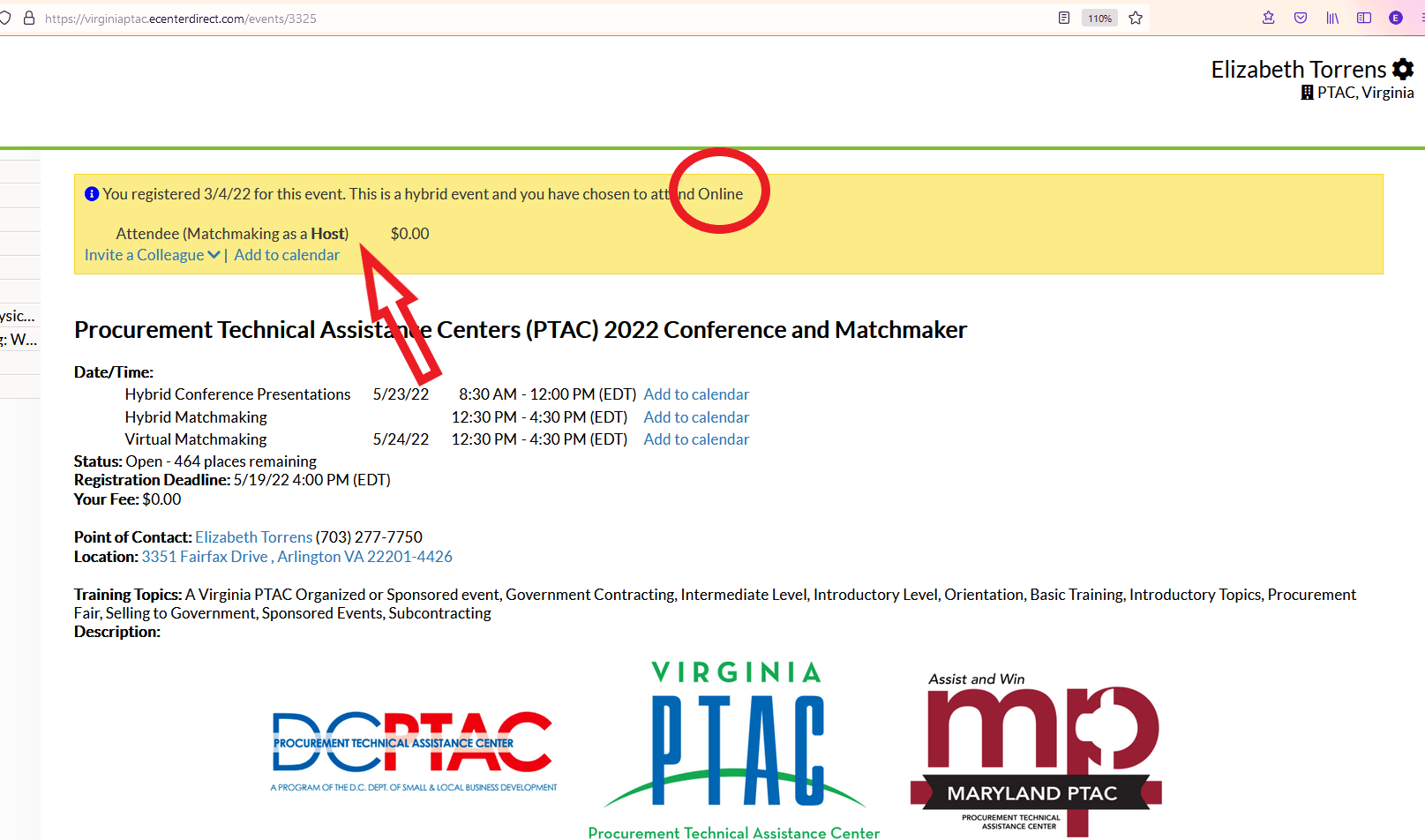
How do I find or change my registration status for an APEX Accelerator event?
To locate your registration status, you must first login to the client portal (eCenter Direct) on the event registration page (upper right). Once logged in, there is a yellow bar at the top of the page. Check your status and ticket type if applicable and see your declared presence if it is a hybrid event (online VS. in-person). Please contact apex@gmu.edu if you registered incorrectly and would like us to change your status manually. Unfortunately, the eCenter platform does have the functionality for registrants to swap ticket types or cancel and re-register, even on free events, and this cannot be updated at this time.
Please pay attention to deadlines for these types of change requests listed under the instructions section of the event so there is sufficient time to implement your request prior to the event date.